Sensor summary panel
Snape 2.0Version 1.1 · 6 November 2026KC-02-022
This guide is for Snape 2.0. Other versions: Snape 1.0.
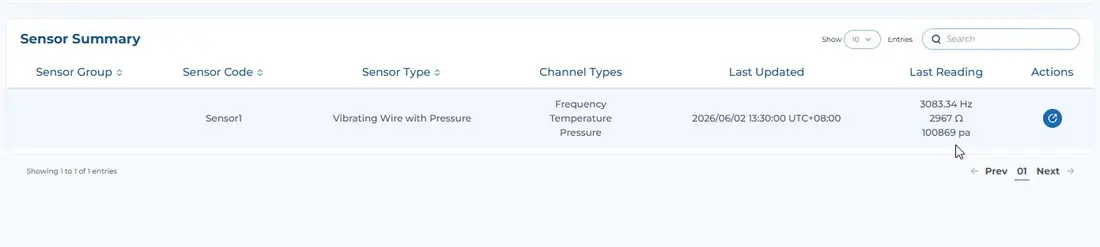
The sensor summary panel contains information on the sensors attached to your nodes. Here you will see your connected sensors with information on sensor type, which node the sensor is connected to, and data from recent readings to quickly ensure your sensors are reporting properly. Click on the eye icon with “View Node”.

You will be able to view the latest sensor metric originating from the node under Sensor Summary Panel: