Network settings (Snape 1.0)
Snape 1.0Version 1.1 · 6 November 2026KC-02-016-S1
This guide is for Snape 1.0. Other versions: Snape 2.0.
Configuring Network Settings
Each Gateway creates its own Wi-Fi network. The Network panel allows you to change the WiFi setting that you can use to connect to the Gateway.
1.
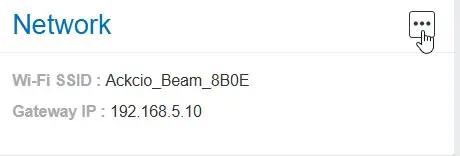
Click on the three dots in the “Network” panel of your gateway.
2.
You are permitted to change the PASSWORD but not the WIFI SSID
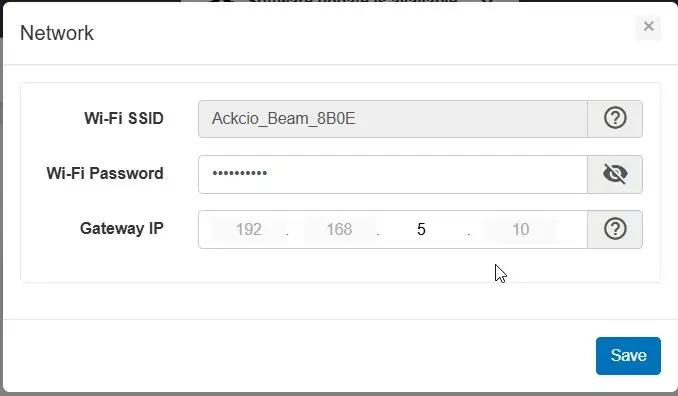
Did you know?To prevent your gateway’s assigned subnet from clashing with your existing network, you can change the IP address accordingly. Click on the “Save” button to apply the new settings to the gateway. Upon successful application, your gateway will start broadcasting the new credentials appended with device ID as the last four characters.