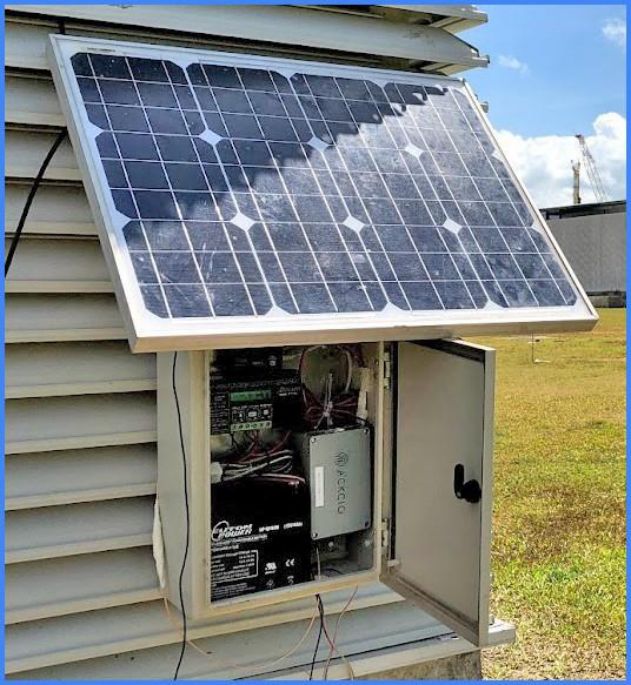
Power your gateway
Powering your gateway
Ackcio gateways are powered by a 12V, 3A external power supply.
ImportantDo remember that continuous power supply via power socket or solar panel is mandatory to ensure optimal performance.
Option 112V Power Supply
1. Insert the cable for your power supply into the strain relief port at the bottom of your gateway.
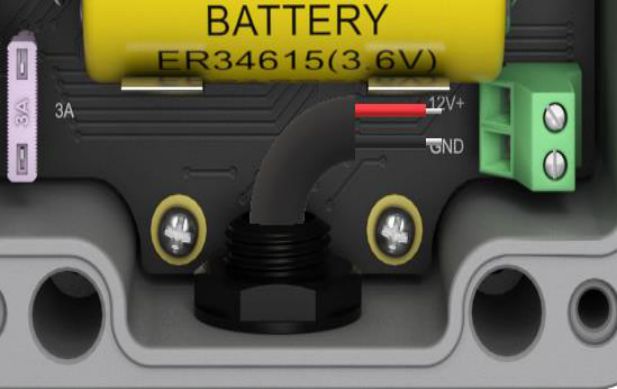
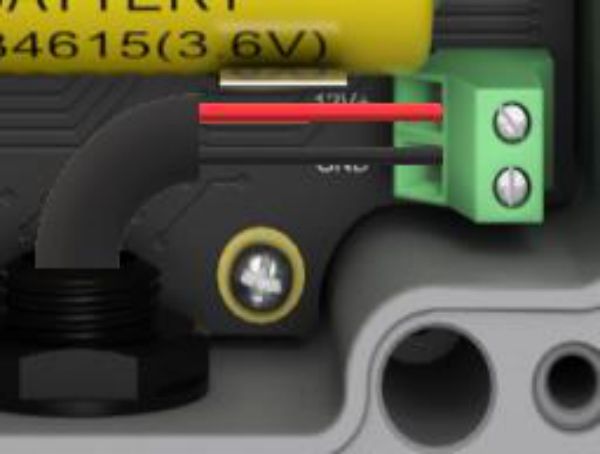
2. Ensure you’ve correctly identified the wires from your power supply, insert the 12V+ wire into the top port of the power receptacle and tighten the screw to secure the wire into place. Then insert your ground wire into the GND port and secure the wire into place by tightening the screw on top of the power receptacle.
Option 2Solar Panel
To provide your gateway with solar power, you will need the following equipment:
- The gateway you would like to power
- A solar panel that supports at least 100W
- A 12V solar panel charge controller
- A 12V rechargeable battery (18-20AH capacity recommended)
- An enclosure capable of housing the gateway, controller, and battery
Once your equipment is ready, follow these steps to power up your gateway using your solar panel.
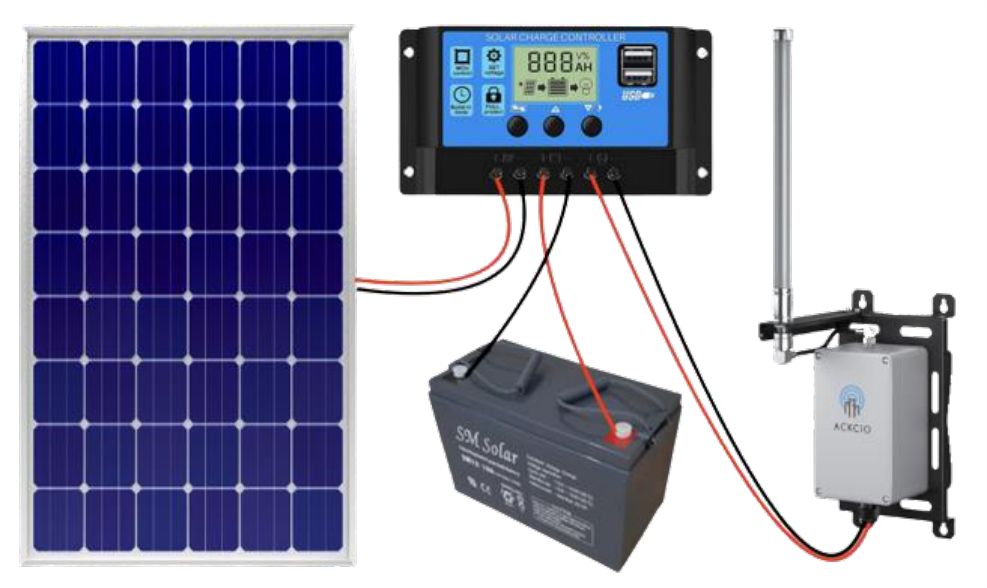
1. Connect your solar panel, rechargeable battery and Gateway to the solar panel charge controller as per the wiring diagram below
2. Place the rechargeable battery, solar panel charge controller and Gateway into the logger box and mount the solar panel nearby.